
Textured 3D from a Single Image: Building a TRELLIS2 Pipeline
A practical pipeline for turning a single image into a fully textured, PBR-material 3D model — TRELLIS2 in ComfyUI, safe Blender post-processing, and shipping it under Sketchfab's 100MB limit.
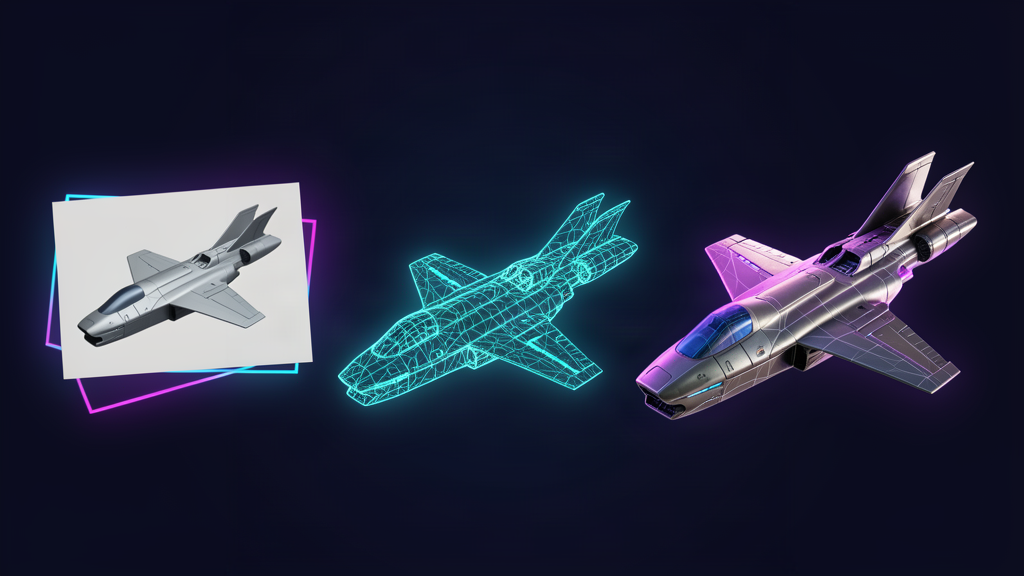
Generating 3D models from images used to mean one of two compromises: fast output with no textures (you get a grey shell you have to hand-texture), or high-quality results locked behind commercial tools. That changed with TRELLIS2 — Microsoft's open-source, 4-billion-parameter model (MIT license) that turns a single image into a textured mesh with PBR materials. This article is the pipeline we actually built and battle-tested last week: FLUX → TRELLIS2 → Blender → Sketchfab.
The Pipeline at a Glance
FLUX image generation (text prompt)
        │  "floating in empty space, no shadow" — critical
        ▼
TRELLIS2 in ComfyUI (Windows, RTX GPU)
        │  sparse structure → shape → texture (three-stage SLAT generation)
        ▼
UnWrapAndRasterizer  ← the make-or-break node (bakes the PBR texture)
        ▼
TRELLIS2ExportMesh (.glb)
        ▼
Blender (MCP-driven from the RPi)
        │  center it, relight it, decimate safely
        ▼
Sketchfab / Unreal (Draco-compressed GLB, <100MB)
Step 1 — Generate the Source Image Right
TRELLIS reconstructs what it sees. If your source image has a shadow under the subject, the model will happily bake that shadow into the mesh as a flat base plane — a pedestal you didn't ask for. The single most important prompt trick we found:
"The ship is FLOATING IN EMPTY SPACE with NO SHADOW, NO GROUND PLANE, no surface beneath it, isolated against a transparent background, clean bottom silhouette"
Append a variant of that to every FLUX prompt. It costs nothing and eliminates the most common artifact we hit.
Step 2 — TRELLIS2 in ComfyUI
Installation (Windows)
Do not install TRELLIS2 by hand with pip install + git clone. The dependency matrix (xformers, cumesh, o_voxel, nvdiffrast, flex_gemm) must match PyTorch exactly, and manual installs pull the wrong versions with spectacular failures ("DLL load failed while importing _C"). Use ComfyUI-Easy-Install:
- Extract it to a fresh folder (e.g.
C:\ComfyUI-Trellis) - Run the
Trellis2add-on (it auto-switches to Torch 2.8.0+cu128 and FlashAttention) - One gated model to fetch:
facebook/dinov3-vitl16-pretrain-lvd1689m— accept the terms on HuggingFace, thenhuggingface-cli downloadit intoComfyUI/models/facebook/ - Add
--listento the startup batch file so other machines on your network can drive it
The Node Chain
For textured output the basic ExportMesh is not enough — it produces geometry only. You must run the texture through UnWrapAndRasterizer:
LoadImage → Trellis2LoadModel → Trellis2MeshWithVoxelGenerator
         → Trellis2UnWrapAndRasterizer → Trellis2ExportMesh
UnWrapAndRasterizer unwraps the mesh and bakes the generated texture into a UV map. Miss it and you get a clean-looking mesh with zero color — the classic "outputs empty {}" trap.
Settings That Actually Matter
| Setting | Value | Why |
|---|---|---|
pipeline_type | "512" / "1024" | Resolution of the structure+shape generation. 512 = fast, ~700K polys; 1024 = our default, 1.4–3M polys, best quality/speed balance; 1536_cascade = film quality for Nanite |
backend | sdpa (Windows) / flash_attn | sdpa is the reliable default; flash_attn gives more detail but also more artifacts (holes, flat patches) on some objects |
texture_size | 2048 | 4096 produces ~200MB GLBs; 2048 gives ~60MB and is barely distinguishable at normal zoom |
double_side_material | true | Prevents see-through/backface-culling issues on the thin shell |
hole_iterations | 2–4 | Closes gaps on the unseen side; 2 is the sweet spot, 5+ is diminishing returns |
One empirical finding from a week of ship models: for clean geometric shapes (spaceships), the 512 pipeline with the sdpa backend produced fewer artifacts than 1024 + flash_attn. Detail isn't always the win — it amplifies defects too. For organic subjects, 1024 is the safer default.
Step 3 — Blender: Learn What Not to Do
TRELLIS outputs a non-manifold shell — a single layer of faces, not a closed volume. Every instinct you have from hard-surface modelling will betray you:
| ❌ Operation | What actually happens |
|---|---|
| Recalculate Normals | Flips correct faces inward — mesh looks broken |
| Decimate (Collapse mode) | Tears holes in the surface |
| Solidify modifier | Self-intersects on the shell, looks worse |
| Remesh modifier | Destroys the UVs — textures revert to flat color |
Safe operations only: vertex centering (shift geometry to origin — no topology change), viewport framing, lighting, and material toggles. TRELLIS also imports the model off-center under a world empty — clear the parent and shift vertices so the geometric center sits at the origin, otherwise it floats ~25cm off in each axis.
Swap the default Blender light for a 3-area-light rig (Key + Fill + Rim) — the difference in presentation is night and day, and it matters for previews, renders, and Sketchfab thumbnails.
One Blender 5.2 quirk: imported GLB materials default to Alpha Hashed blend mode and snap back if you try to set OPAQUE via the Python API. Fix it manually in the UI: Material Properties → Settings → Alpha Clip, clip threshold 0.01.
Step 4 — Shrinking It for Sketchfab (100MB limit)
A 1024-pipeline TRELLIS export with 4096px textures can be 200–350MB. The free Sketchfab tier caps at 100MB. Our working recipe:
- Planar Decimate (Dissolve mode, 10° angle, UV delimiting on) — removes only coplanar faces, keeps textures intact, no holes. Collapse mode would tear the shell.
- Merge by Distance (threshold 0.0001) — the dissolve leaves millions of orphaned vertices; merging them drops file size without touching geometry.
- Export with Draco compression (level 6, position 14 / normal 10 / texcoord 12, JPEG textures at 80%).
Real result on a spaceship: 6.2M polys + 4096px textures (~350MB) → 1.4M polys + 1024px + Draco (~30MB) — a 10x reduction, well under the limit, and Draco decompresses client-side in the browser with no visible quality loss.
The Alternatives We Evaluated
Because why not ask "is there something better?" — we tested the field:
| Tool | Verdict |
|---|---|
| Hunyuan3D-2 (Tencent) | Solid, but geometry only — no textures. Fine for placeholders, not for anything you want to look finished |
| TripoSG (VAST) | Different architecture (1.5B rectified-flow transformer), excellent geometry fidelity (sharp edges, clean topology), but texture detail is not its strength — and it's not been updated since mid-2025 |
| Modly (desktop wrapper) | Convenient UI, but it bundles TRELLIS2 GGUF-quantized — a lower-precision version of the exact model we already run. A downgrade, not an upgrade |
| TRELLIS2 (ours) | Best texture fidelity per compute, MIT license, ComfyUI-native, and the settings above are battle-tested |
The takeaway: for textured output, TRELLIS2 is still the best open option we found. TripoSG is the one to keep an eye on for geometry-heavy work; Modly's value is convenience, not quality.
What's Next
- Unreal + Nanite: the 1536_cascade pipeline outputs are the ones to feed Nanite — film-quality geometry that still real-time renders
- Automate the loop: upload image → TRELLIS2 → auto-optimize → web-embed, so we never touch Blender for routine exports
- Embed on the web: Sketchfab's embed viewer is the easy path; self-hosted
<model-viewer>GLB embeds are the lightweight alternative
The full workflow files, exact node JSON, and the Blender recipes live in our trellis2-3d-pipeline skill — if you're building on Windows with an NVIDIA GPU, that's a complete copy-paste starting point.